The first time I noticed the Broken Link Checker 403 Error, I assumed something was wrong with my OpenLiteSpeed server. Several image URLs were suddenly showing 403 Forbidden warnings inside the plugin, even though every page opened normally in a browser.
What made the issue confusing was that visitors were not experiencing any problems. The warnings only appeared inside Broken Link Checker. After digging through response headers and security settings, the actual cause turned out to be QUIC.cloud security protection rather than a broken URL.
Table of Contents
Why the Broken Link Checker 403 Error Looked Like a Server Problem
The warning appeared inside Broken Link Checker and affected multiple image URLs.
The strange part was that every reported URL returned normal results when tested manually. Images loaded correctly, pages were accessible, and there were no crawl issues in Google Search Console.
Because the plugin kept reporting failures, it initially looked like a WordPress issue, a CDN problem, or even a permissions error.
Reviewing the Error Details
The first clue behind the Broken Link Checker 403 Error appeared inside the Broken Link Checker report.
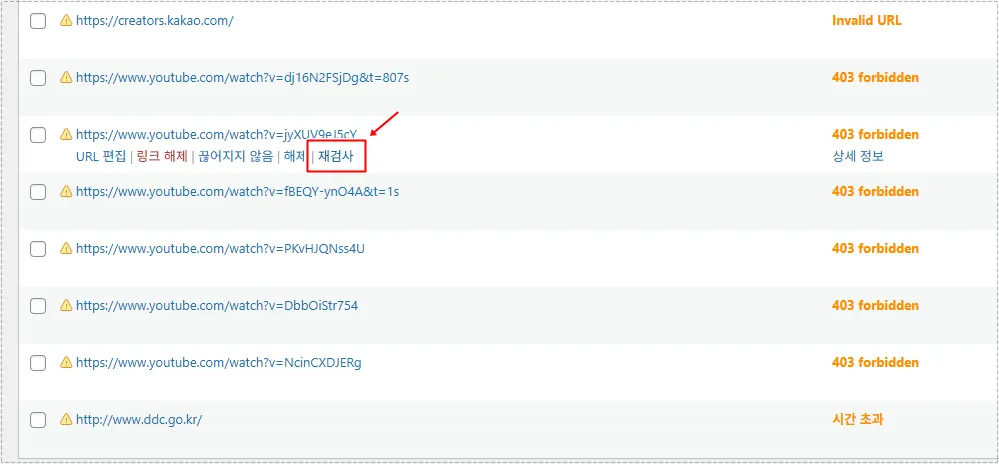
The plugin repeatedly showed 403 responses for URLs that were actually accessible. That inconsistency pointed away from file permissions and toward request filtering.
What Actually Triggered the 403 Responses
After examining the response details, I found references to QUIC.cloud infrastructure.
The response headers contained LiteSpeed and QUIC.cloud information, indicating that the request was being blocked before it reached WordPress itself.
One entry stood out:
user-agent: WPMU DEV Broken Link Checker Local EngineThat explained why browsers could access the resource while the plugin could not.
The Broken Link Checker 403 Error was being triggered because QUIC.cloud classified the automated requests as bot traffic.
Why Browsers Worked but the Plugin Did Not
Browsers send requests differently from automated link-checking tools.
A normal browser request usually includes:
- Standard user agent strings
- Cookies
- Expected browsing behavior
- Human interaction patterns
Broken Link Checker works differently. It sends automated requests from the server and uses a unique user agent.
From a security perspective, those requests can resemble automated crawlers or scanners.
That distinction is exactly what caused the Broken Link Checker 403 Error.
Reviewing QUIC.cloud Security Rules
The next step was checking the QUIC.cloud dashboard.
Inside the CDN configuration area, the Security section contains user-agent filtering and bot protection options.
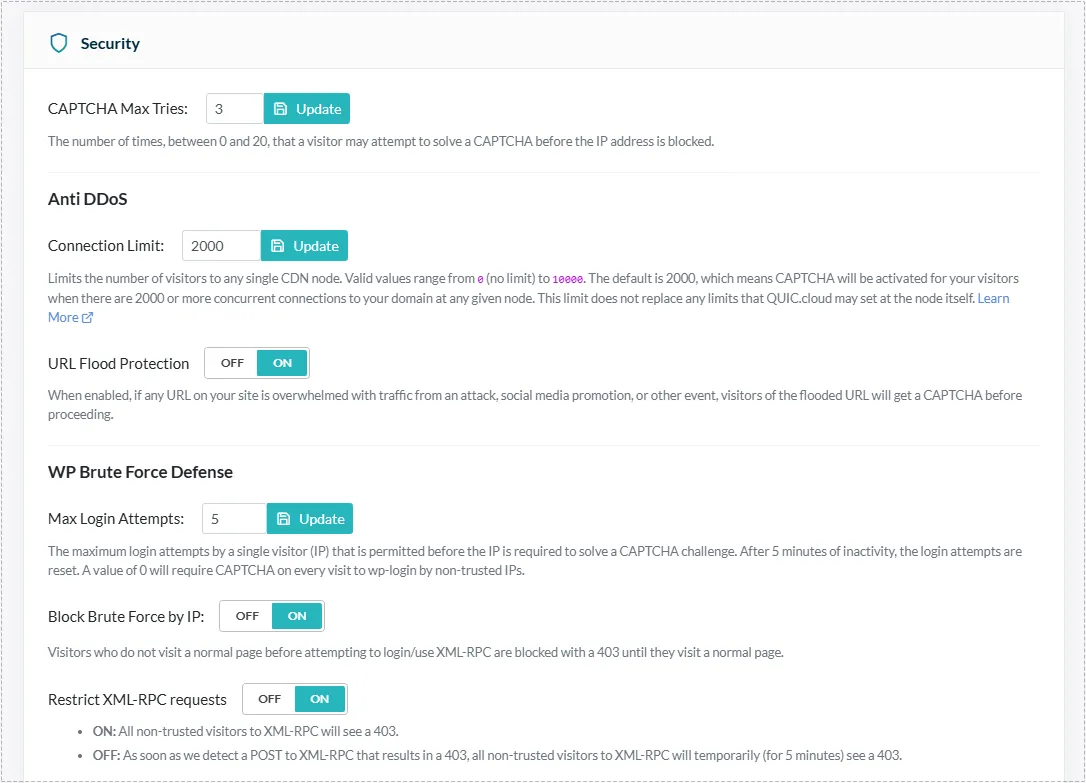
The protection rules were functioning correctly. The issue was simply that the plugin’s requests were being categorized as automated traffic.
Problem Cause Analysis
The root cause of the Broken Link Checker 403 Error was not:
- file permissions
- missing images
- OpenLiteSpeed configuration
- LiteSpeed Cache
- WordPress media files
Instead, QUIC.cloud security filters were blocking the plugin’s user agent.
From a security standpoint, the CDN was behaving exactly as designed.
The only question was whether I wanted to allow the plugin to perform automated checks.
Real Fix Process
Since I preferred seeing accurate link reports inside WordPress, I decided to allow the plugin.
Inside:
QUIC.cloud → CDN Config → Security → User Agent Allowlist
I added the following rule:
WPMU.*Broken.*Link.*CheckerThis pattern allows various Broken Link Checker user-agent formats without weakening broader security protections.
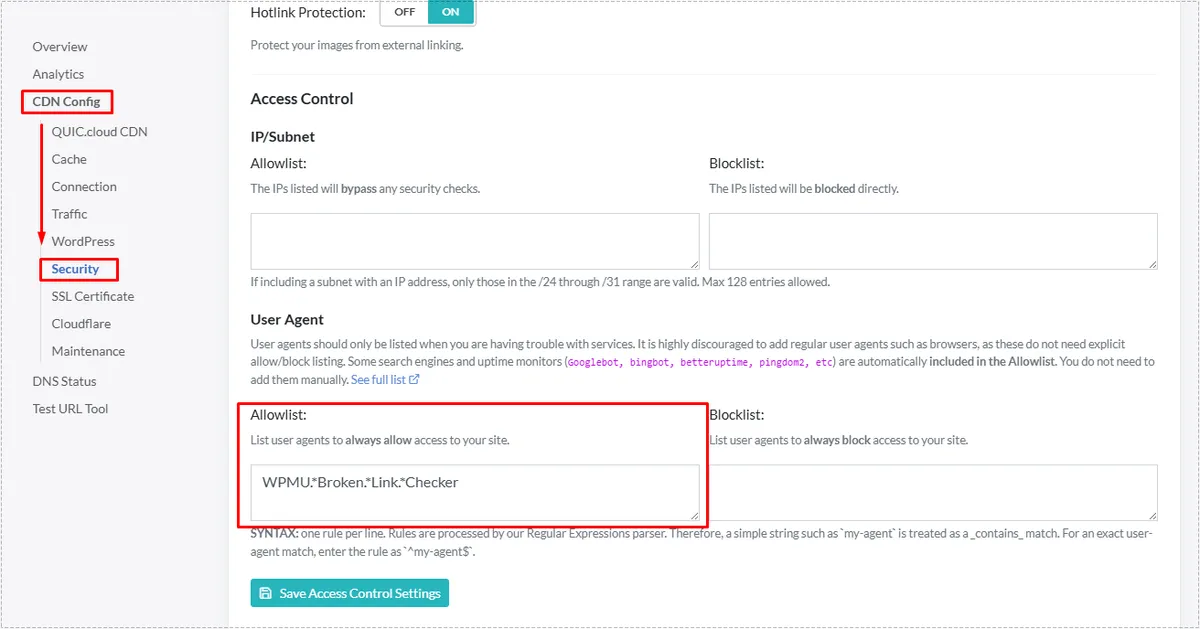
After saving the rule, the requests were no longer blocked.
Running a New Link Scan
Once the allowlist entry was active, I returned to Broken Link Checker and launched another scan.
The plugin was finally able to access URLs that had previously been blocked by CDN security filtering.
The Broken Link Checker 403 Error stopped appearing because the plugin’s requests were now recognized as trusted traffic.
Changes After Fix
After applying the allowlist rule:
- 403 warnings stopped appearing
- Link scans completed normally
- Image URLs returned successful responses
- False-positive error reports disappeared
- Dashboard cleanup became much easier
What changed most was confidence in the scan results. Before the adjustment, it was difficult to tell whether a warning represented a real broken link or a security block.
Once the security exception was added, the reports became much more reliable and the Broken Link Checker 403 Error no longer returned during future scans.
FAQ
Is a Broken Link Checker 403 Error always a real website problem?
No. If the page loads normally in a browser, the error may be caused by CDN or security filtering rather than a broken resource.
Does QUIC.cloud block Broken Link Checker by default?
Not necessarily, but some security configurations may classify its requests as automated bot traffic.
Should I whitelist Broken Link Checker?
Only if you want the plugin to scan resources without interference from security rules.
Can I ignore the warning?
Yes. If visitors, search engines, and browsers can access the content normally, the site itself is usually unaffected.